Save it.
Forget it.
Find it anyway.
Send Stash a link from any app and it keeps that link with the real page title, on your device only. Two seconds to save. Months later, a half-remembered word is enough to get it back.
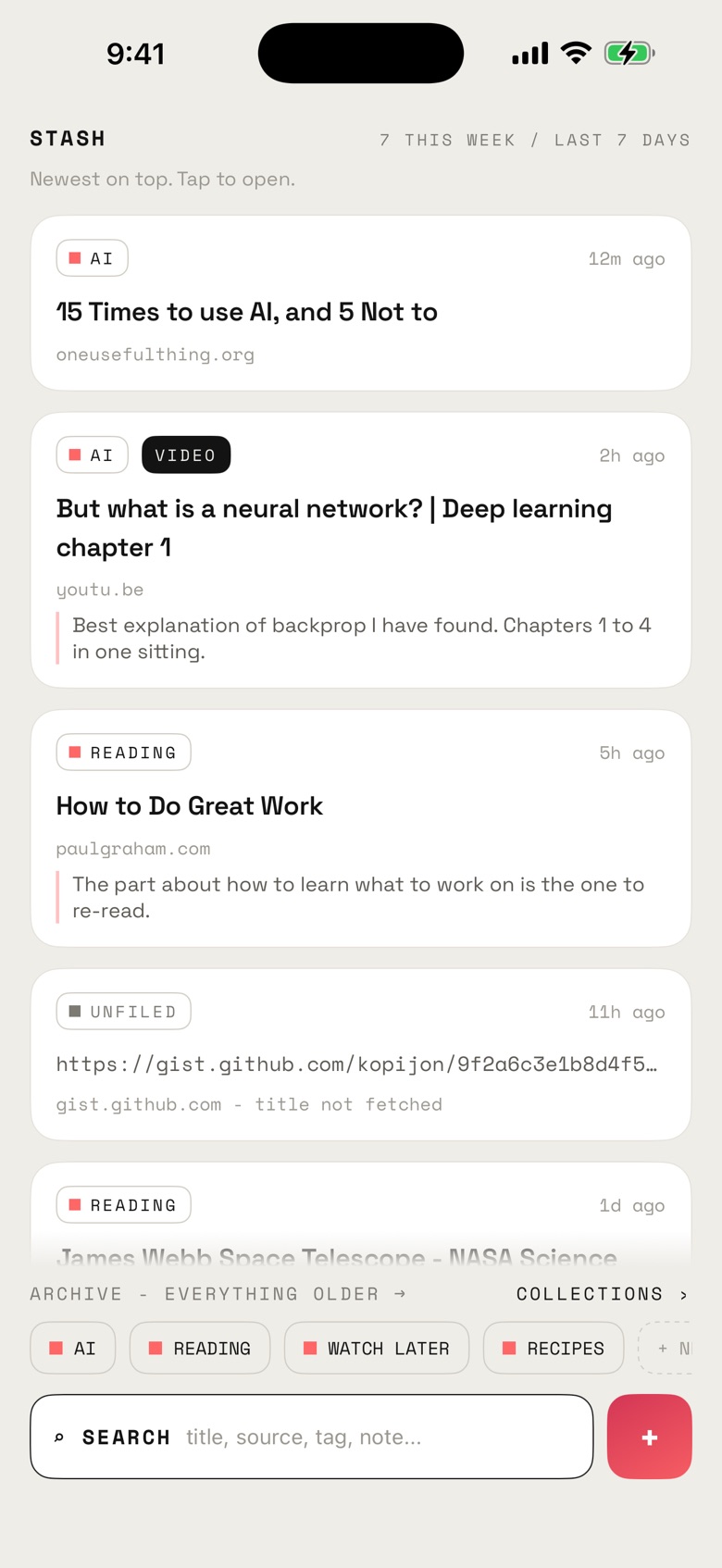
Everything you saved, newest first
01 / The pile
Almost nothing you save gets opened again
This is not a discipline problem. Saving is a two-second act your brain files as progress. Reading is twenty minutes of actual work. Those two were never going to compete fairly, in any app, for anybody.
So the pile grows. And somewhere along the way it stops looking like a library and starts looking like a list of promises you did not keep. That is usually the point where people stop opening the app at all.
90-95%
Of saved articles are never reopened. Studies put it in that range, and it holds whatever app people use. It is a fact about the category, not a Stash number.
02 / The reframe
Reading was never the job
When you save something you are really doing two things. Catching the thought this looks important before it scrolls away. And making the thing findable on the day it turns out to matter. Most of the time the second one was the whole point, and the reading was a story you told yourself on the way past.
Which makes this a retrieval problem wearing a reading problem's clothes. Stash is built for the retrieval half and nothing else. There is no reader mode, no stripped copy of the page, no progress bar hanging over your library. You tap a link and it opens the original in your browser, the way it was published.
03 / Sound familiar
Four ways people end up here
Thirty tabs open, and you save them to close them. The saving is the relief. What was meant to happen afterwards was never really the plan.
A course, a launch, a renovation. You are gathering things for one thing, and you want all of it in front of you on the evening you sit down to do it.
Recipes, gear, places to eat. Not a queue, a collection. You go back to it on a Saturday, when the moment for it finally arrives.
You kept a library somewhere else for years. Then there was an announcement, an export window, and nothing.
04 / Saving
Two seconds, from any app
Anything with a share button can send a link to Stash. Safari, YouTube, Mail, whatever you happen to be in.
- 01 Tap share on the thing you want to keep.
- 02 Pick Stash from the row of apps.
- 03 It is already saved. The link is kept the moment the sheet opens, so there is no confirm step to get wrong. Add a tag, a collection or a note if you want one, then tap Done.
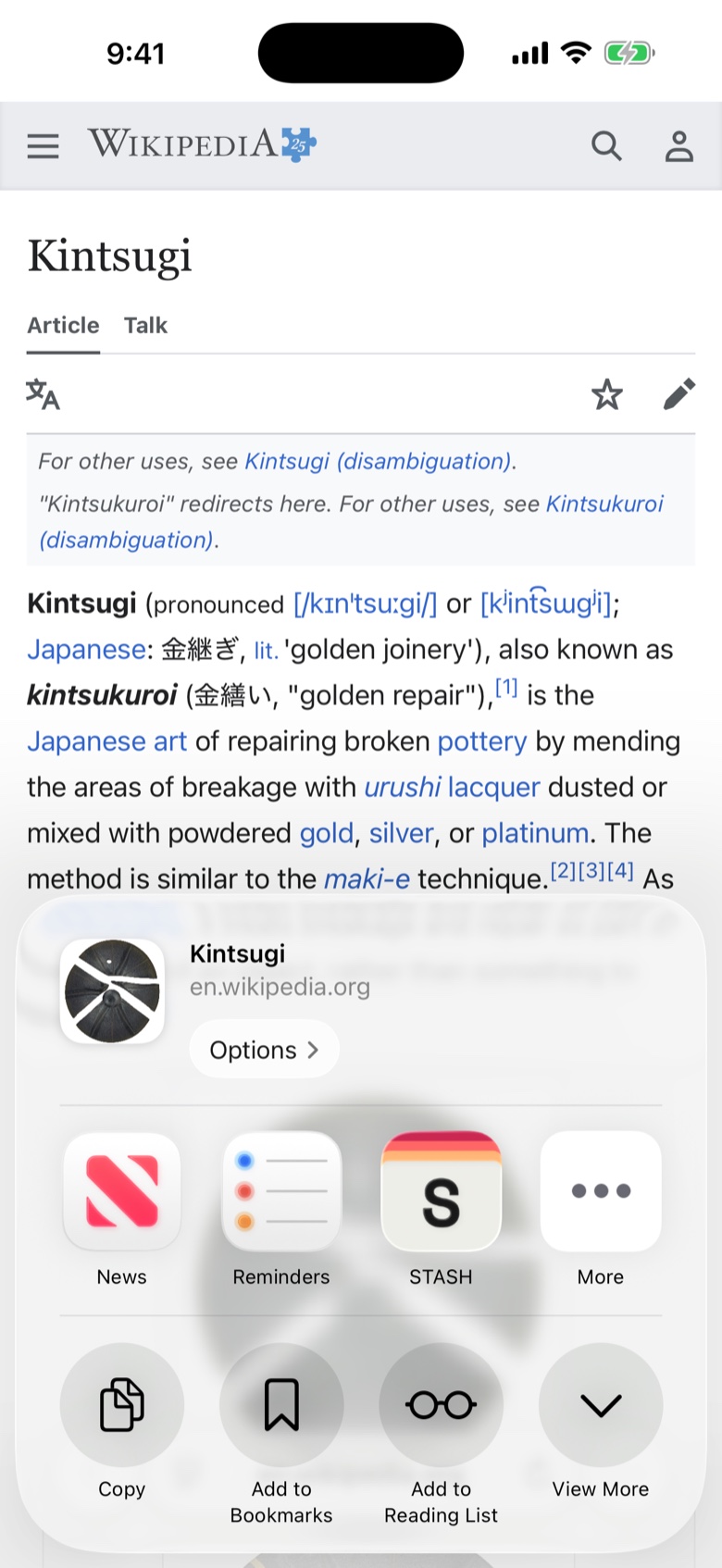
Wherever you already are
A new link shows its URL first, then swaps to the real page title once Stash has fetched it. Nothing to tap, and nothing that reads "Untitled" when you come back to it in March.
05 / Finding
Built for the day you need it back
Retrieval almost never starts with the full title. It starts with a fragment: one word you remember, the site it was on, a vague sense that it was a video. Search in Stash runs across titles, tags, sources and your own notes, so the fragment is usually enough.
- Collections
- One place per project. Everything you gathered for the renovation, sitting together.
- Tags
- Cut across collections. A link can carry as many as it needs.
- Notes
- One line about why you saved it. This is the one everybody skips and then wishes they had not: the reason is obvious at the moment you save, and completely gone by March.
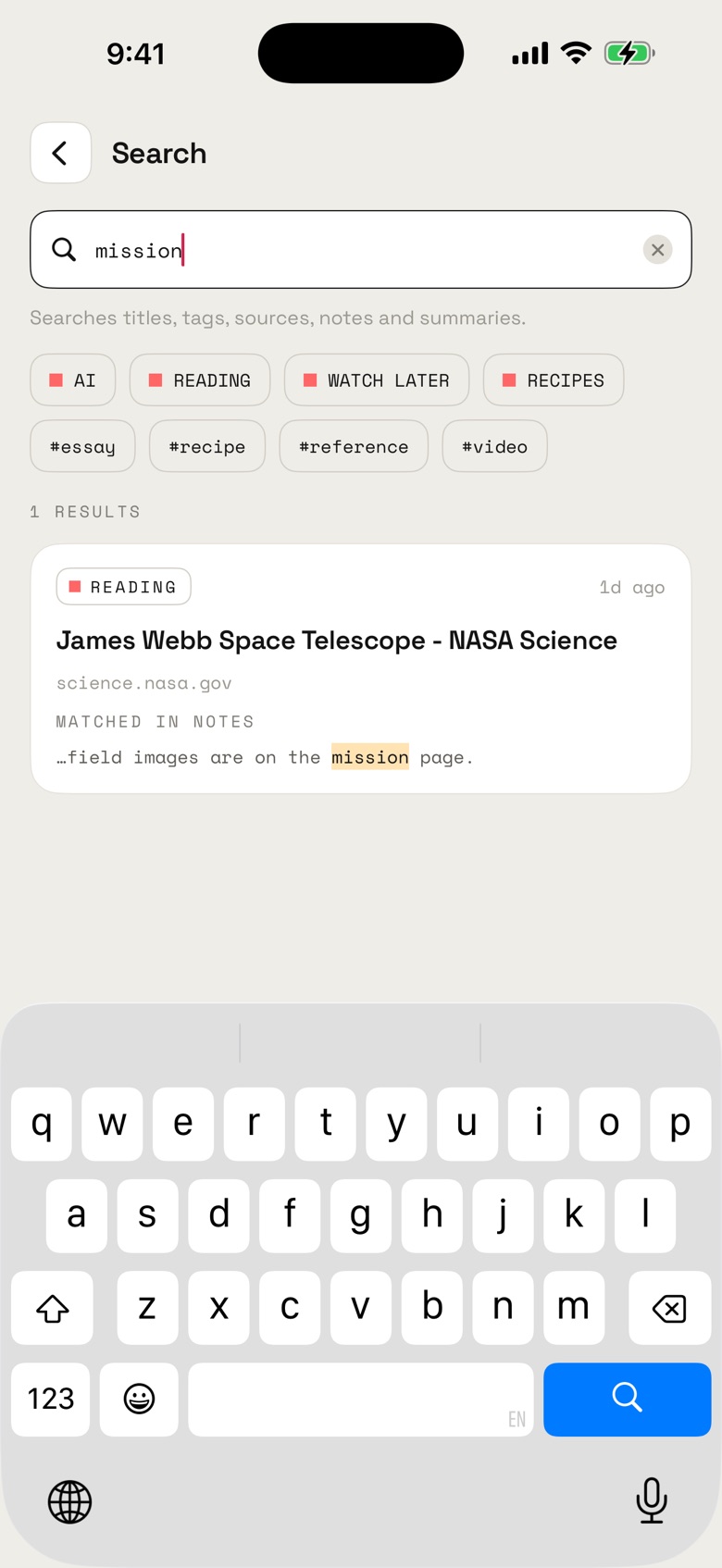
A fragment is usually enough
06 / Owning it
There is no server to shut down
Pocket closed in July 2025. Millions of people got an export window, and then their library was somebody else's decision. If you do not own the server, you do not own your saves
Stash does not have a server. Your links live in the app, on your phone. There is no account to lose, no subscription to lapse, no sync to break, and nothing here for me to switch off one day.
And if you want everything out, Stash hands you the lot as a single JSON file whenever you ask. Every link, every tag, every note, every collection. No reason required, no window to catch.
07 / The honest part
What Stash does not do
- No account No sign-up, no email address, no password.
- No ads None in the app, and none planned.
- No sync One phone. That is the trade you make for having no server.
- No subscription Stash is free. There is nothing to upgrade to.
- No reader mode Links open in your browser, on the page the author made.
Stash sends a small set of anonymized usage events, so I can see which parts of the app get used. It never sends what you saved: not a URL, not a title, not a note, not the name of a tag. The privacy page lists every single event, and it is a short list.